
Byobu - Terminal Multiplexer
/ 2 min read
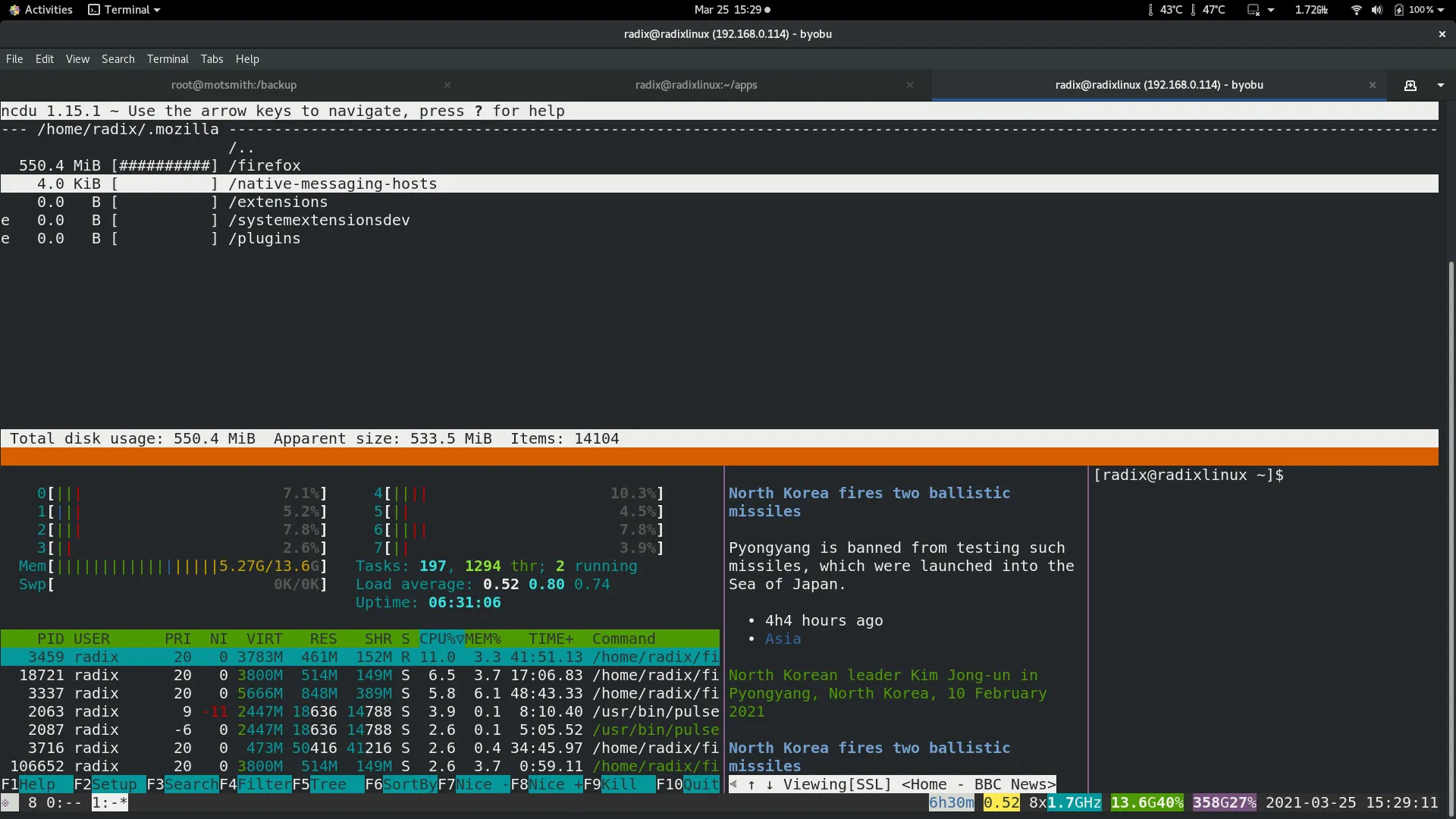
Byobu is a GPLv3 open source text-based window manager and terminal multiplexer. Byobu includes an enhanced profiles, convenient keybindings, configuration utilities, and toggle-able system status notifications for both the GNU Screen window manager and the more modern Tmux terminal multiplexer.
The key benefits are:
It provides easier to remember keybinding to Screen/Tmux.
Terminal sharing is easily done with just two terminal sessions ( same user account ) running byobu.
Automatic resumption of terminal session if remote is reconnected
Byobu defaults to launching tmux.
KEYBINDINGS byobu keybindings can be user defined in /usr/share/byobu/keybindings/ (or within .screenrc if byobu-export was used). The common key bindings are:
   F2 - Create a new window
   F3 - Move to previous window
   F4 - Move to next window
   F5 - Reload profile
   F6 - Detach from this session
   F7 - Enter copy/scrollback mode
   F8 - Re-title a window
   F9 - Configuration Menu
   F12 -  Lock this terminal
   shift-F2 - Split the screen horizontally
   ctrl-F2 - Split the screen vertically
   shift-F3 - Shift the focus to the previous split region
   shift-F4 - Shift the focus to the next split region
   shift-F5 - Join all splits
   ctrl-F6 - Remove this split
   ctrl-F5 - Reconnect GPG and SSH sockets
   shift-F6 - Detach, but do not logout
   alt-pgup - Enter scrollback mode
   alt-pgdn - Enter scrollback mode
   Ctrl-a $ - show detailed status
   Ctrl-a R - Reload profile
   Ctrl-a ! - Toggle key bindings on and off
   Ctrl-a k - Kill the current window
   Ctrl-a ~ - Save the current window's scrollback buffer
SCROLLBACK, COPY, PASTE MODES Each window in Byobu has up to 10,000 lines of scrollback history, which you can enter and navigate using the alt-pgup and alt-pgdn keys. Exit this scrollback mode by hitting enter. You can also easily copy and paste text from scrollback mode. To do so, enter scrollback using alt-pgup or alt-pgdn, press the spacebar to start highlighting text, use up/down/left/right/pgup/pgdn to select the text, and press enter to copy the text. You can then paste the text using alt-insert or ctrl-a-].
Shift - F1 for Help